
Audit Overview
Your store's untapped revenue potential — and how to unlock it
Why We Created This Audit
We analyzed www.oceancrawler.com the same way we've audited 350+ e-commerce stores — looking for the specific gaps between your current experience and what top-performing Jewelry & Accessories stores deliver. Every finding in this report is a revenue opportunity backed by industry data and competitive benchmarks.
What We Analyzed
- UX & Conversion Design11 findings
- Performance & Speedvs 4 competitors
- Technology & App StackPlatform + 25 apps
- Industry BenchmarksJewelry & Accessories
Pages Analyzed
- Homepage2 findings
- Collection Pages2 findings
- Product Pages (PDP)4 findings
- Cart & Checkout3 findings
 This audit was prepared by Growisto — a CRO-led Website development team behind 167% conversion growth for Atomberg, 46% CR lift for TyresNmore, and 350+ e-commerce projects.
UX & Conversion Findings
Page-by-page analysis with visual comparisons against top Jewelry & Accessories stores
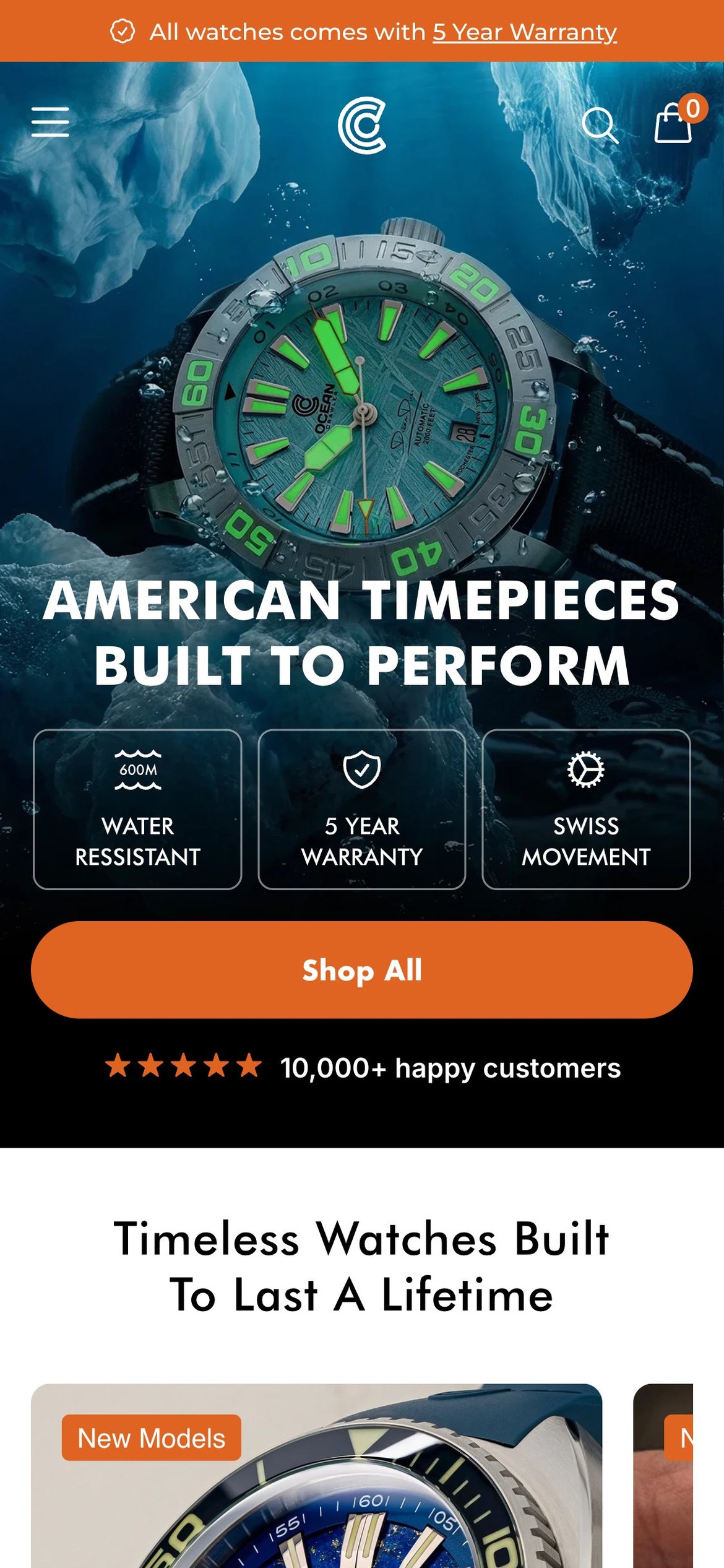
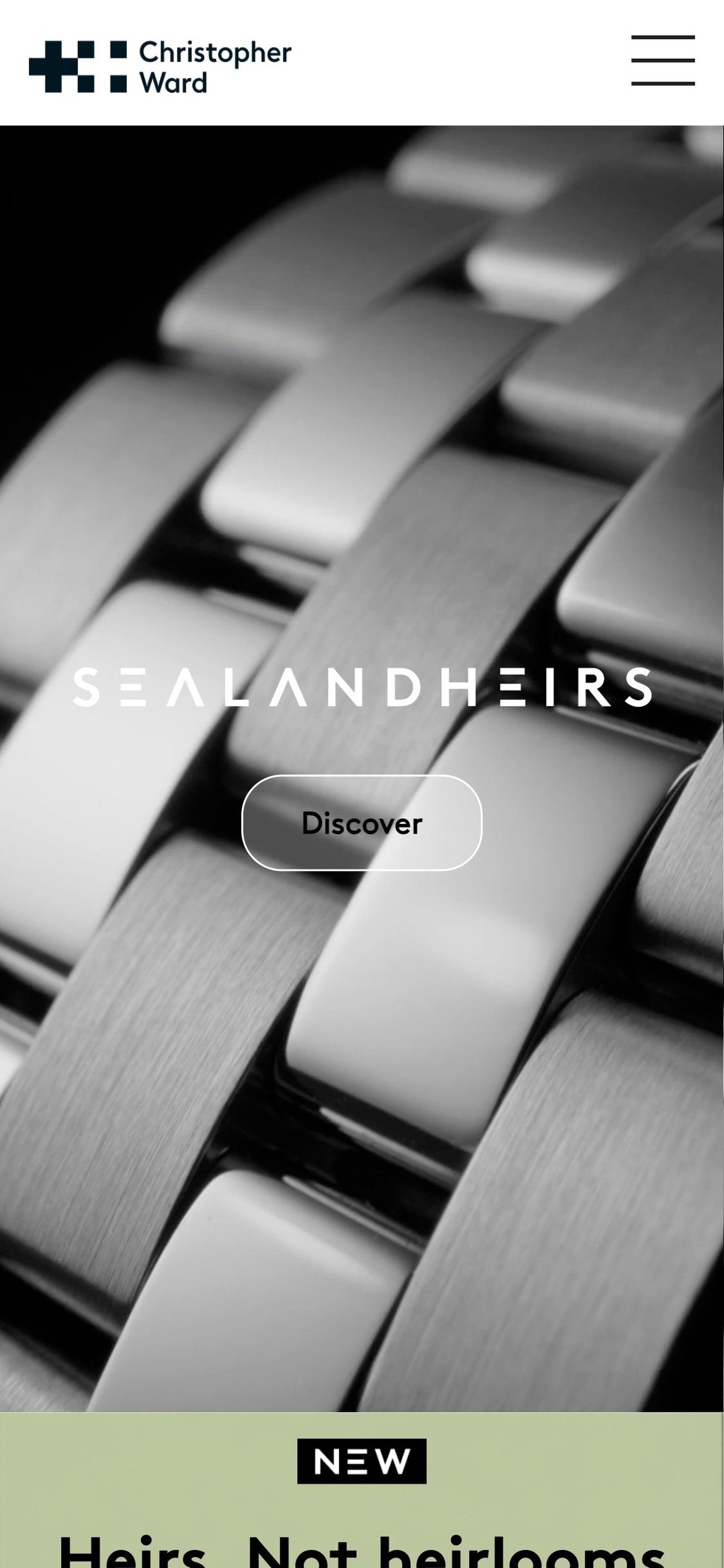
- Hero H2 reads 'American timepieces built to perform' — a generic brand tagline with no product specificity
- Single CTA 'Shop All' routes to /collections/frontpage — a browse page — rather than a named product or current launch
- No price, product name, or urgency element (e.g. 'Limited to 100 pieces') in the hero overlay
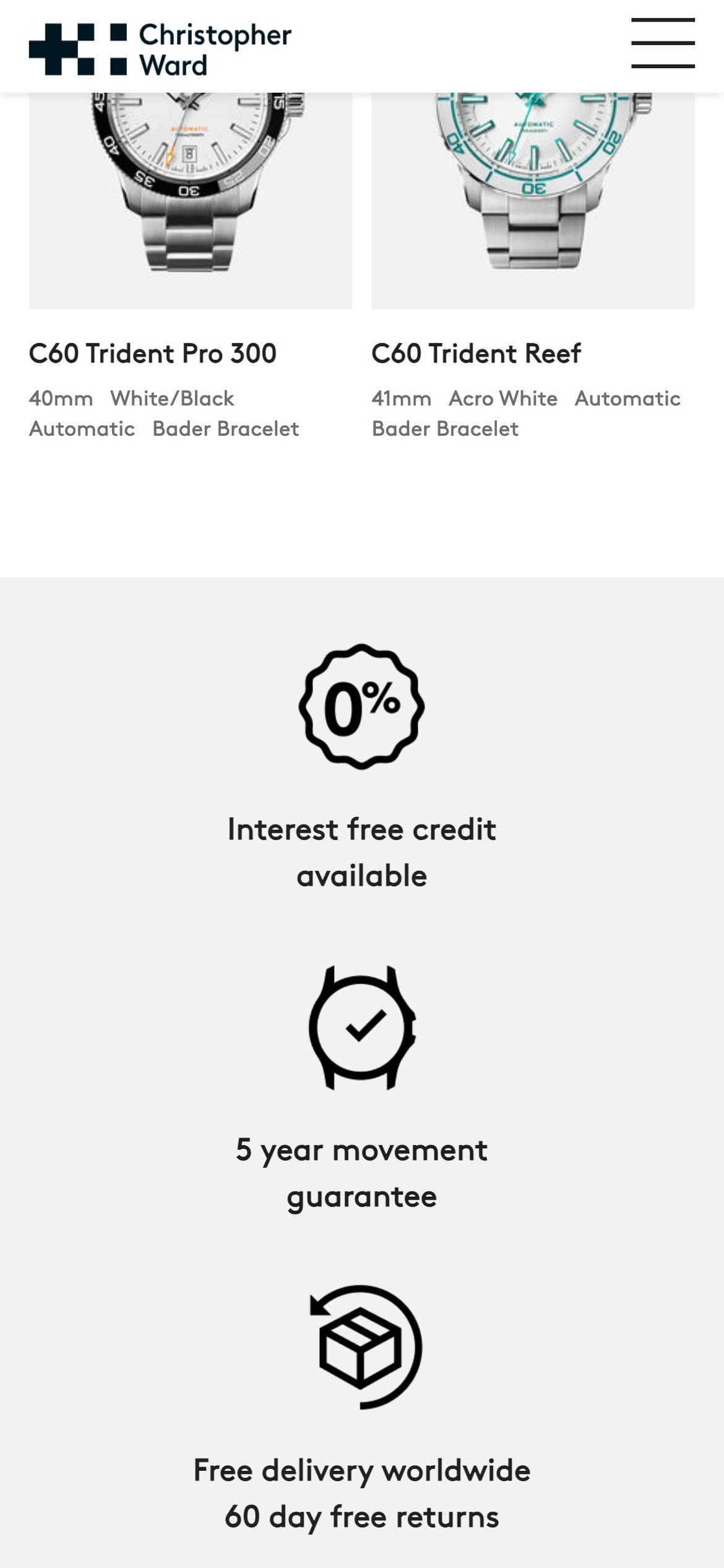
- Competitors like Christopher Ward lead hero with a named collection (e.g. 'C63 Sealander') and a direct 'Explore the watch' CTA
- Replace 'Shop All' with a product-specific CTA tied to the current hero image, e.g. 'Shop Dream Diver — from $1,099' linking directly to that product
- Add a short secondary headline beneath the tagline naming the hero product and one proof point (e.g. '2000ft water resistance · Sellita SW200-1 movement')
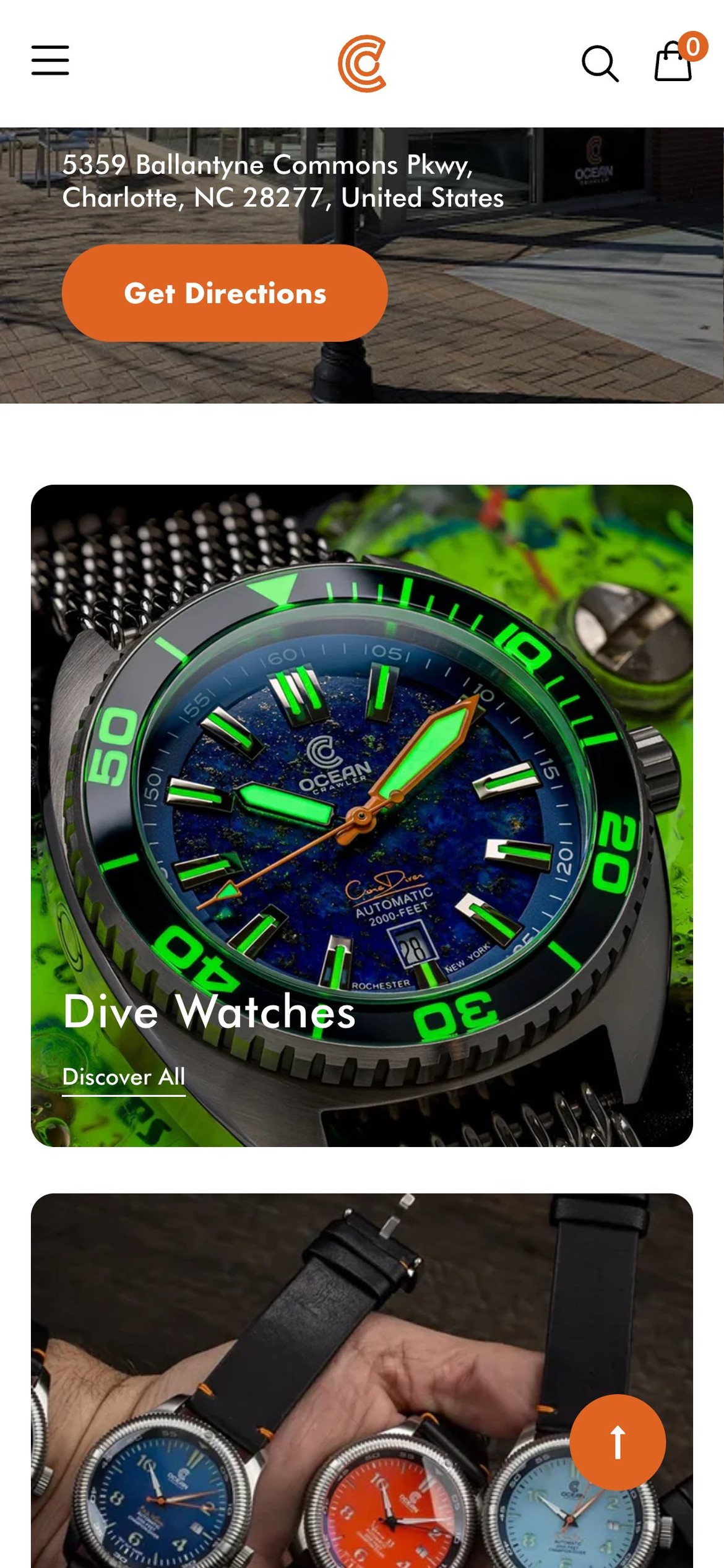
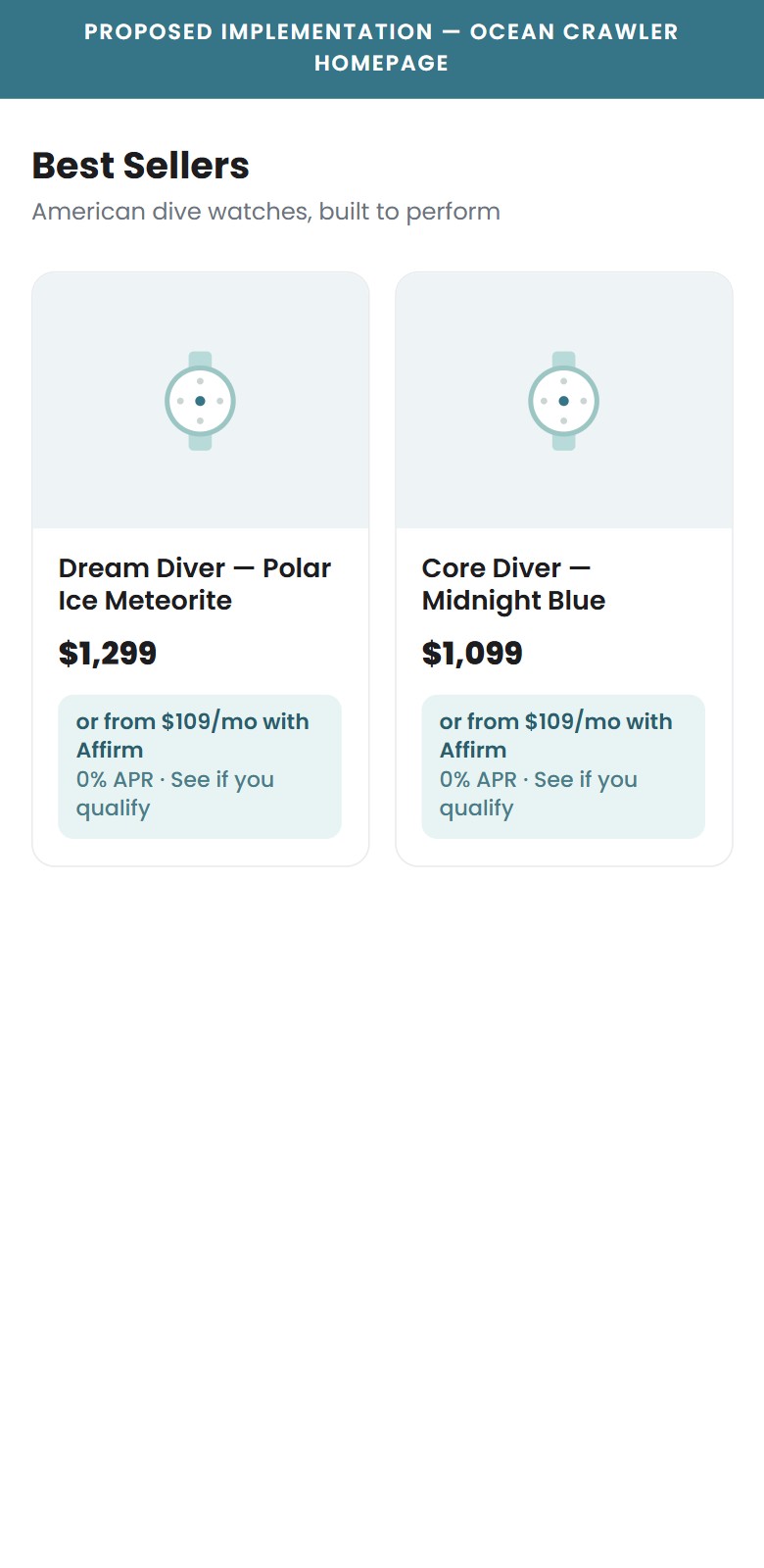
- Affirm is installed and configured on the site but no BNPL messaging appears anywhere on the homepage
- Product price range ($799–$1,399) sits firmly in the zone where BNPL messaging drives the most uplift (studies show 15–30% CVR lift above $500)
- No 'from $X/month' callout in the collection grid or featured product sections on homepage
- Competitor Spinnaker Watches surfaces 'Pay in 4 interest-free installments' on homepage collection cards
- Add a homepage BNPL callout in the featured product section: 'Or from $109/mo with Affirm — 0% APR. See if you qualify'
- Surface BNPL on collection card hover states to reduce price shock before visitors click through to the PDP
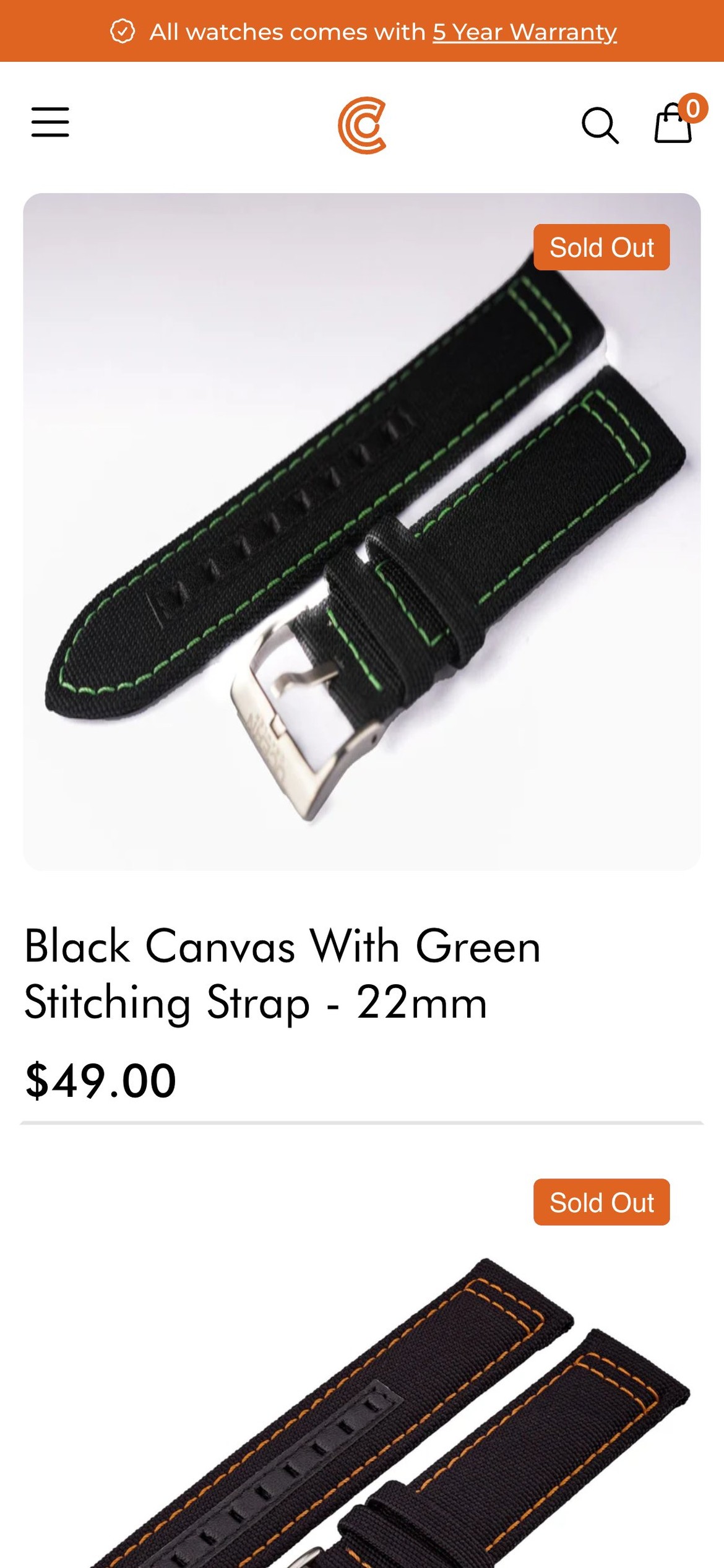
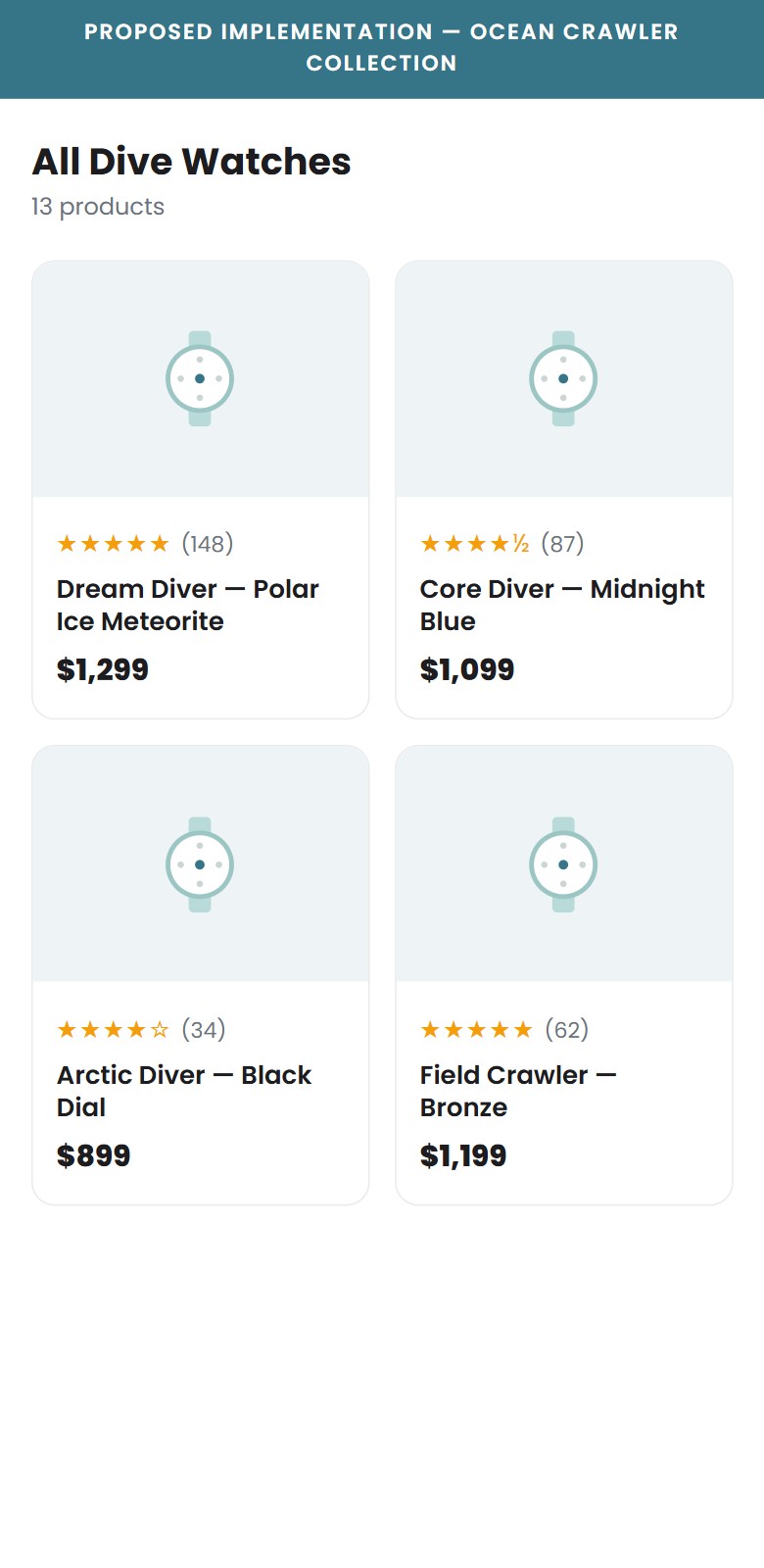
- All 13 product cards on the collection page show only product image, name, and price — no star ratings visible
- Judge.me is installed and active on the site but the preview badge is not rendered on collection cards — confirmed via DOM (reviewStarsOnCards: 0)
- The brand has 2,345 sitewide reviews but zero social proof is surfaced at the browse/discovery stage
- Eye-tracking research shows star ratings on collection cards increase click-through rate to PDP by 15–25%
- Enable Judge.me's 'Preview Badge' on collection cards via Judge.me theme integration settings — this is a single toggle in the app dashboard
- Show star count only on cards with 10+ reviews; suppress the widget on cards with 0–9 reviews to avoid displaying weak social proof
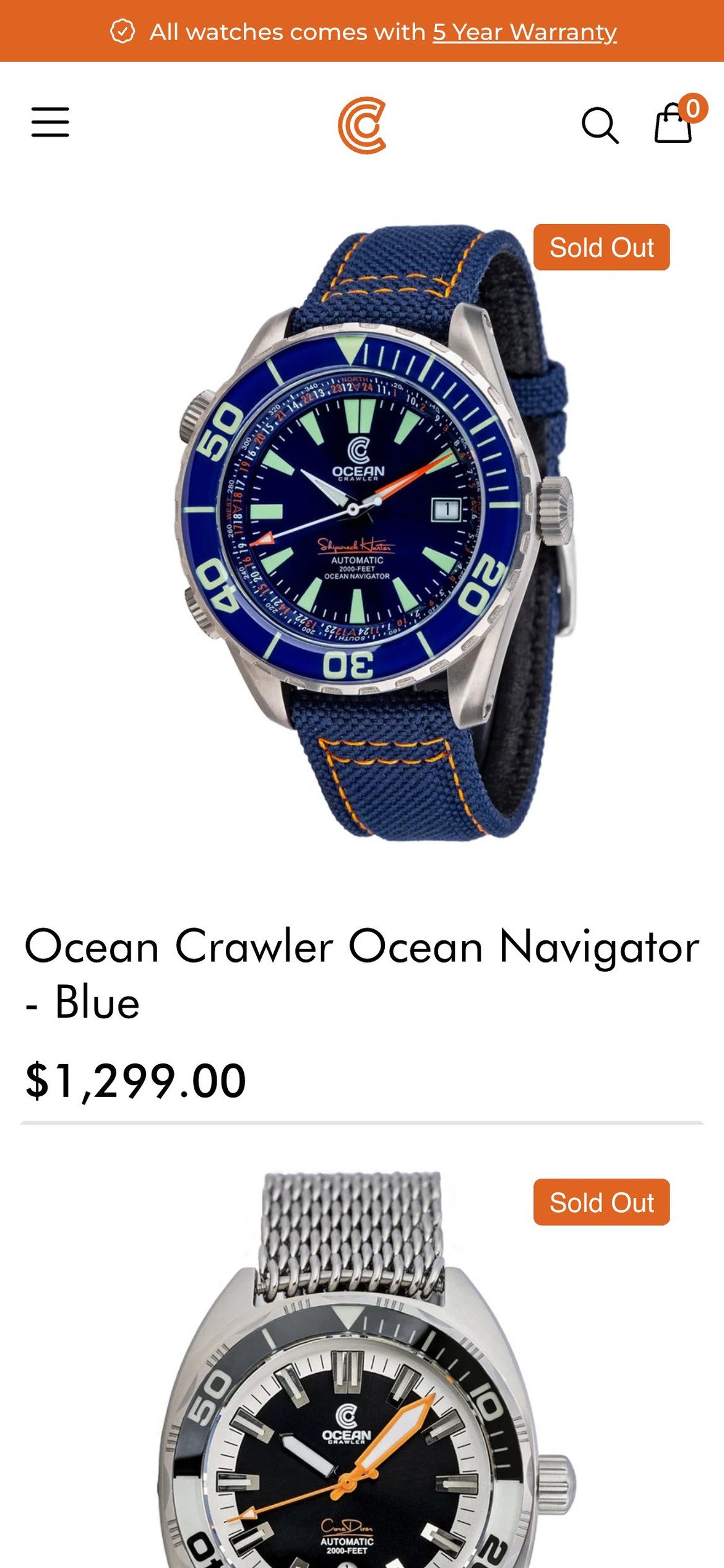
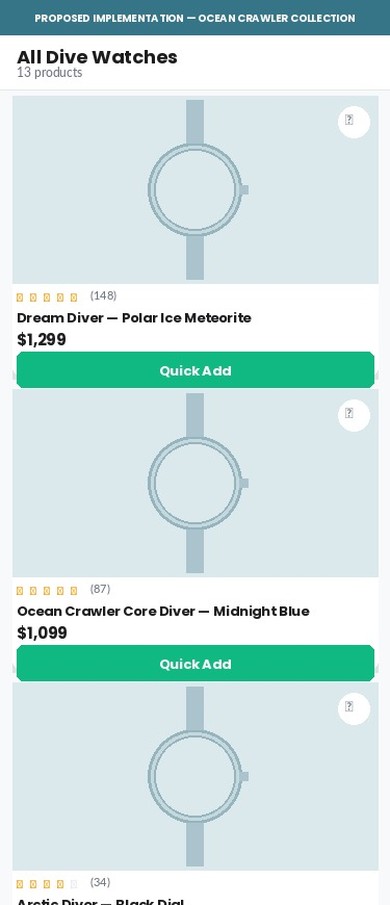
- Product cards only navigate to the PDP — no quick-add button appears on hover or tap
- No wishlist or 'save for later' icon on cards — non-converting visitors have no capture mechanism
- An empty .ImageOverlayCa div exists on each card in the DOM — a quick-add feature was likely planned but never completed
- Wishlist saves feed re-marketing flows (Klaviyo back-in-stock, wishlist reminder) — their absence means lost retention touchpoints
- Add a quick-add button that appears on card tap (mobile) or hover (desktop), adding the default variant directly to cart
- Add a wishlist heart icon to each card; connect to Klaviyo to trigger automated wishlist reminder and back-in-stock flows
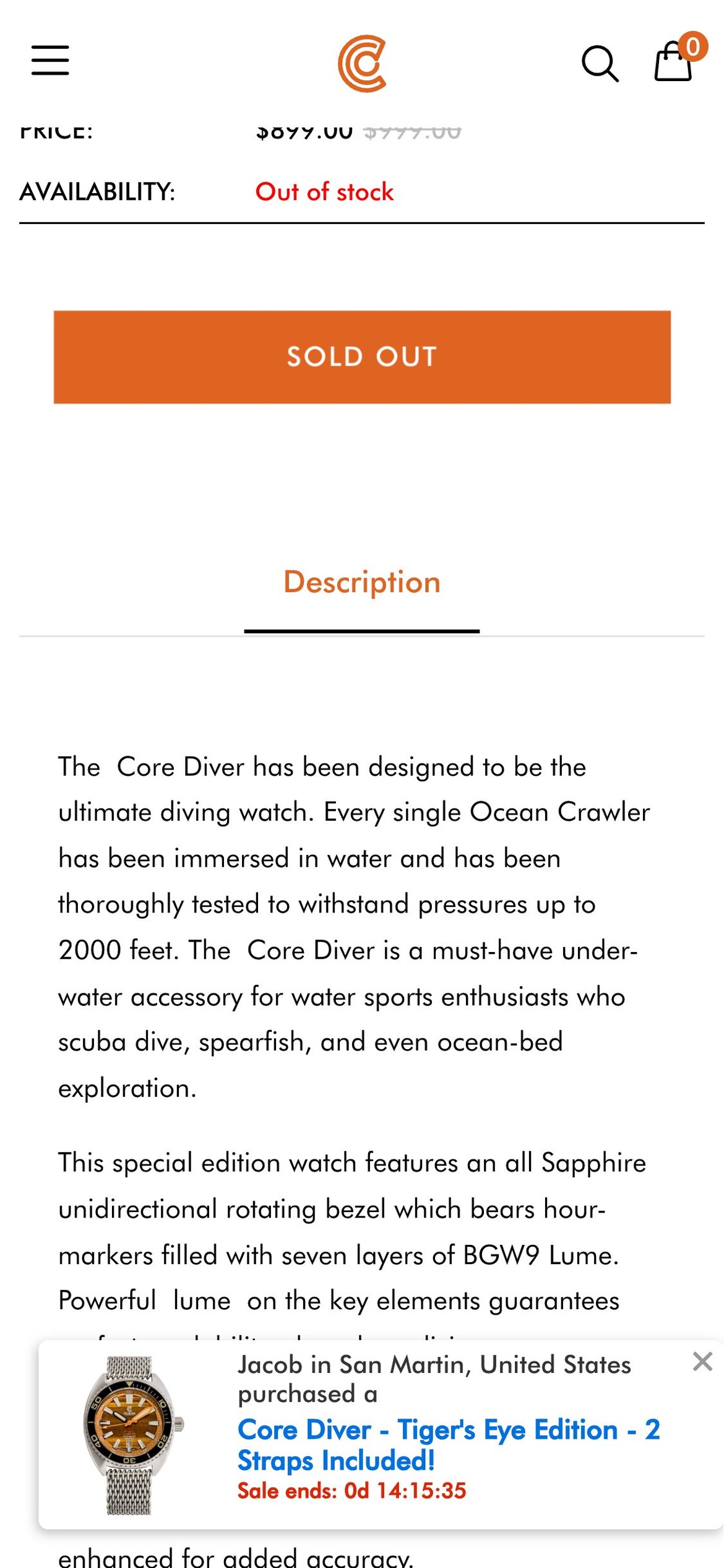
- Affirm is installed with a valid API key (0HJZVCZ0N3KJQ9E3) and the widget text reads 'Starting at $109/mo or 0% APR with Affirm'
- All .affirm-as-low-as elements have computed style display:none — confirmed via DOM inspection — making them invisible to every shopper
- At a $1,299 price point, BNPL messaging directly addresses the #1 objection ('too expensive right now') and industry data shows 15–30% CVR lift for items over $500
- The Affirm script loads correctly, the config is present, but a CSS override is suppressing the rendered widget
- Audit the theme CSS for any rule targeting .affirm-as-low-as or its parent container and remove the display:none override
- As an immediate fallback, add a static line below the price: 'Or 12 monthly payments from $109 with Affirm — 0% APR. See if you qualify →' until the widget is fixed
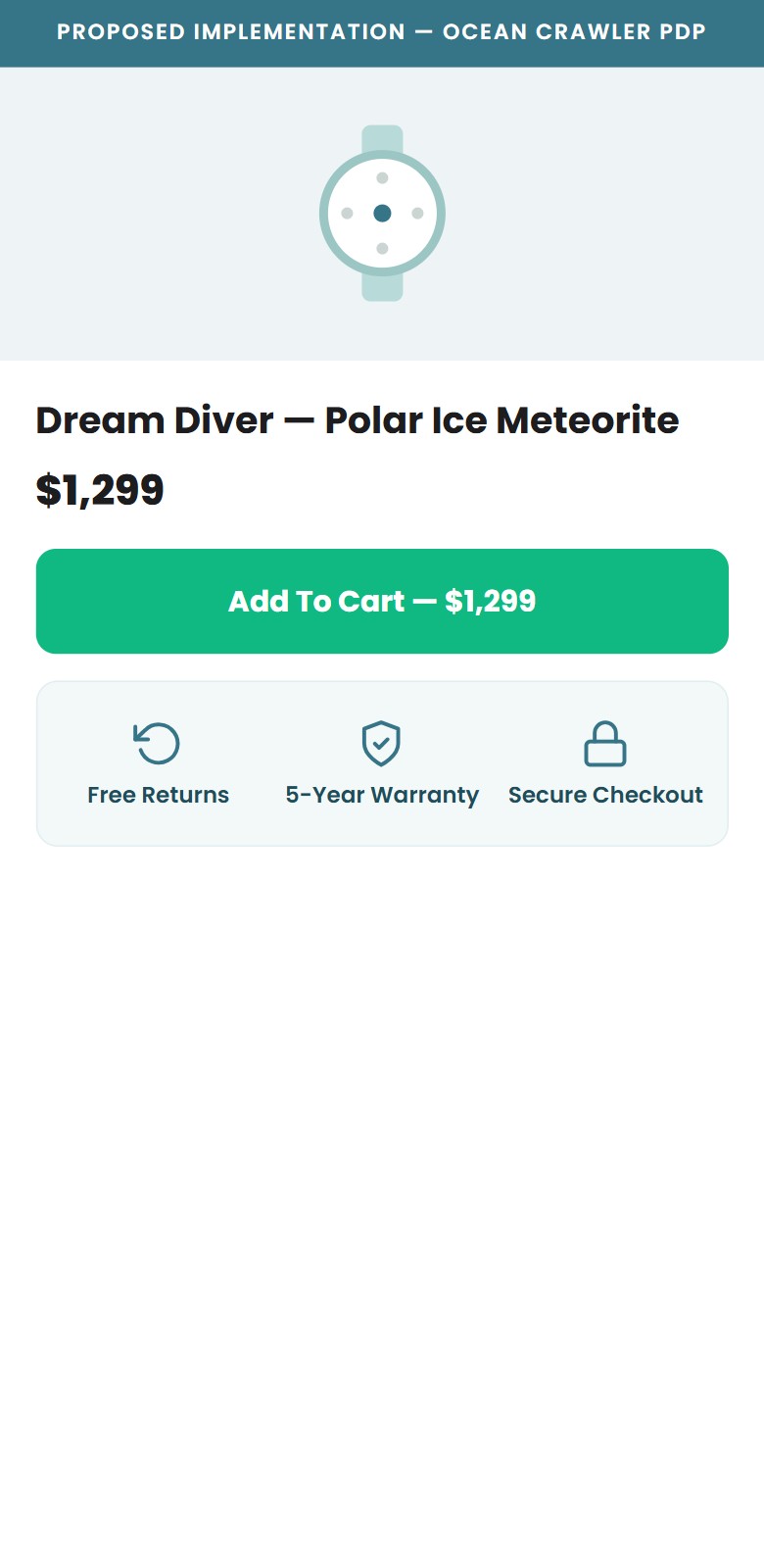
- Only one trust badge sits below the Add-to-Cart button — '5 Year Warranty — Covered for five years of reliable performance' — so a single reassurance carries the entire $1,299 purchase decision
- Free Shipping & Returns and the full Warranty policy exist only as collapsed accordions far down the page, so shoppers must hunt for them at the exact moment they are deciding to buy
- No secure-checkout, SSL, or money-back-guarantee badge appears anywhere near the Add-to-Cart button above the fold
- The trust-badge app's container (.htusb-ui-prod-boost-trust-wrapper) renders empty in the DOM — the app is installed and paid for but is outputting nothing
- Add a compact 3-icon trust bar directly beneath the Add-to-Cart button — 'Free Returns', '5-Year Warranty', and 'Secure Checkout' — so all three reassurances are visible without scrolling (see proposed mockup)
- Either fix the empty htusb-ui-prod-boost-trust-wrapper widget or replace it with lightweight inline SVG icons so the trust bar no longer depends on a broken app
- Five spec accordions — Glass, Dial, Movement, Strap, Water Resistance — are all collapsed by default, requiring separate taps to reveal each
- Movement type (Sellita SW200-1) and water resistance (60 ATM / 600m) are the top two purchase-decision criteria for dive watch buyers yet both are hidden
- These key specs are mentioned in passing in the 'Swiss Precision Inside' editorial section far below the fold, not in a scannable format near the ATC
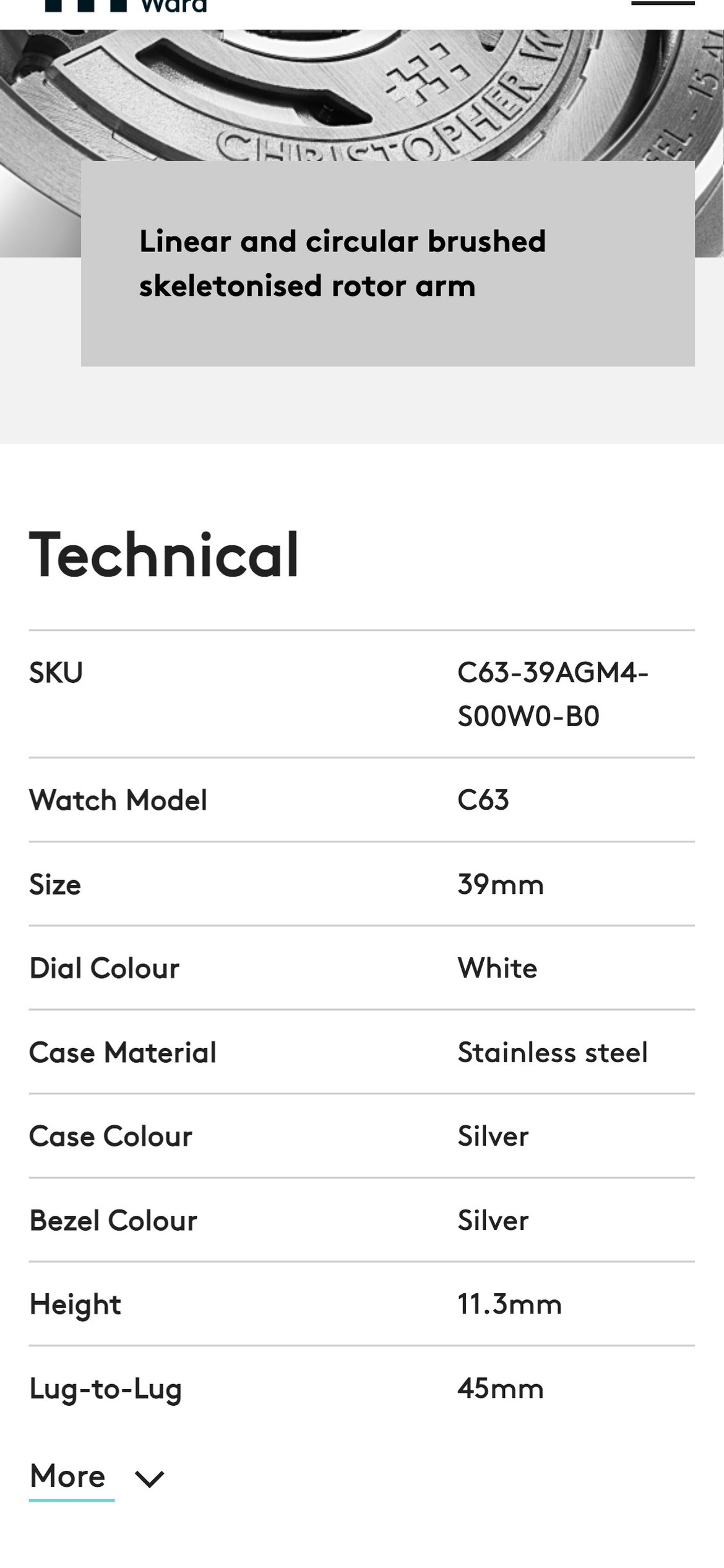
- A spec table format (icon + spec name + value in two columns) would make all key data scannable in under 5 seconds without any interaction
- Open the 'Movement' accordion by default as movement type is the primary differentiator for watch enthusiasts comparing the Sellita SW200-1 against competitors
- Replace the accordion stack with a scannable spec table showing all key specs (case diameter, thickness, water resistance, movement, glass, lug width) in a single view
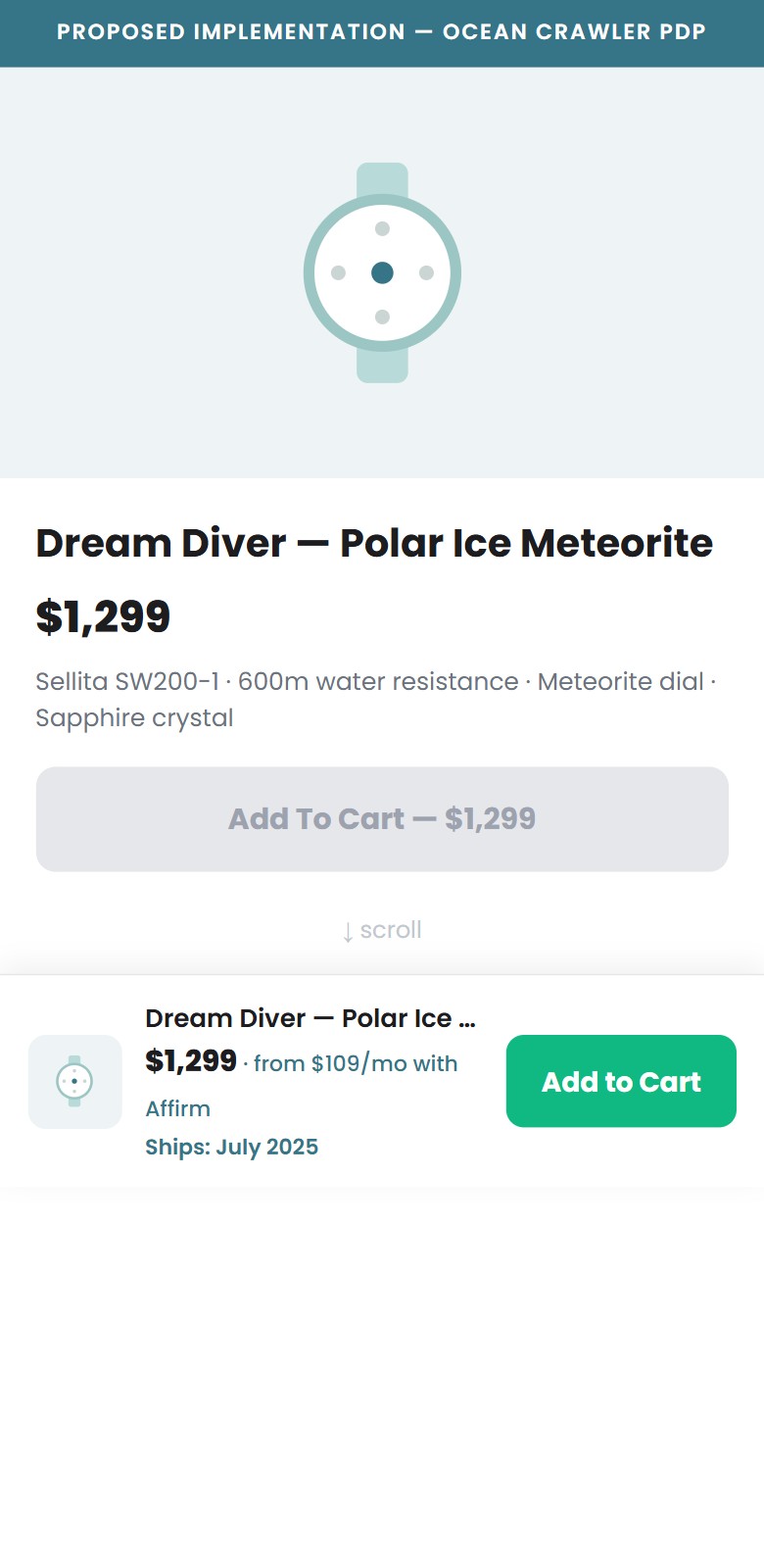
- Sticky ATC bar correctly activates on scroll and shows product thumbnail, truncated name, sale price ($1,299), and 'Add To Cart' button
- No BNPL sub-label (e.g. 'or $109/mo with Affirm') is shown in the bar — this is especially critical at scroll depth where purchase intent peaks
- For pre-order products, the ship date ('Ships May 22, 2026') is not shown in the sticky bar — shoppers may hesitate without knowing when they'll receive it
- The Terrific urgency countdown ('Sale ends: 0d 14h') appears only in the sales notification popup widget, not in the sticky bar where it would reinforce action
- Add a one-line BNPL sub-label beneath the price in the sticky bar: 'from $109/mo with Affirm' — this single addition can lift ATC-from-sticky-bar rates by 10–20%
- For pre-order SKUs, dynamically inject the ship date into the sticky bar text: 'Ships May 22, 2026 · Add To Cart — $1,299'
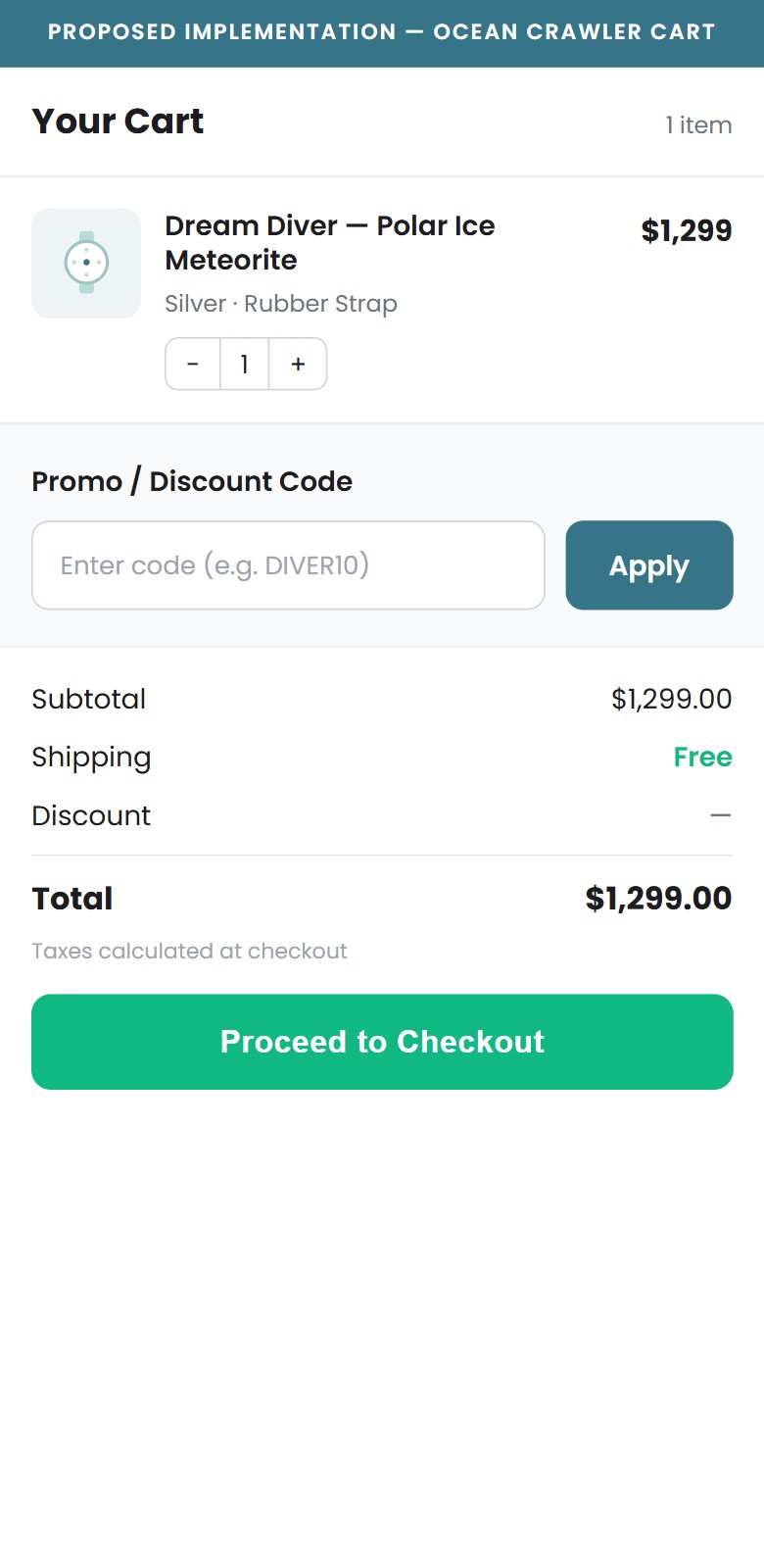
- The cart page at /cart contains no visible discount or coupon code input field — confirmed by visual inspection and full DOM search
- Cart text reads 'Shipping, taxes, and discounts will be calculated at checkout' — discounts are deferred to checkout, creating confusion about whether codes exist
- Industry research shows ~8% of cart abandoners leave specifically to search for a promo code, and over 50% of those do not return
- Klaviyo is installed — email campaigns likely include discount codes, but recipients who click through find no field to enter them on the cart page
- Add a collapsible 'Have a discount code?' input field to the cart page above the checkout button, applying the discount immediately via the Shopify Cart API discount endpoint
- This also eliminates promo-code hunting abandonment — when the field is visible, shoppers without a code still proceed rather than leaving to search
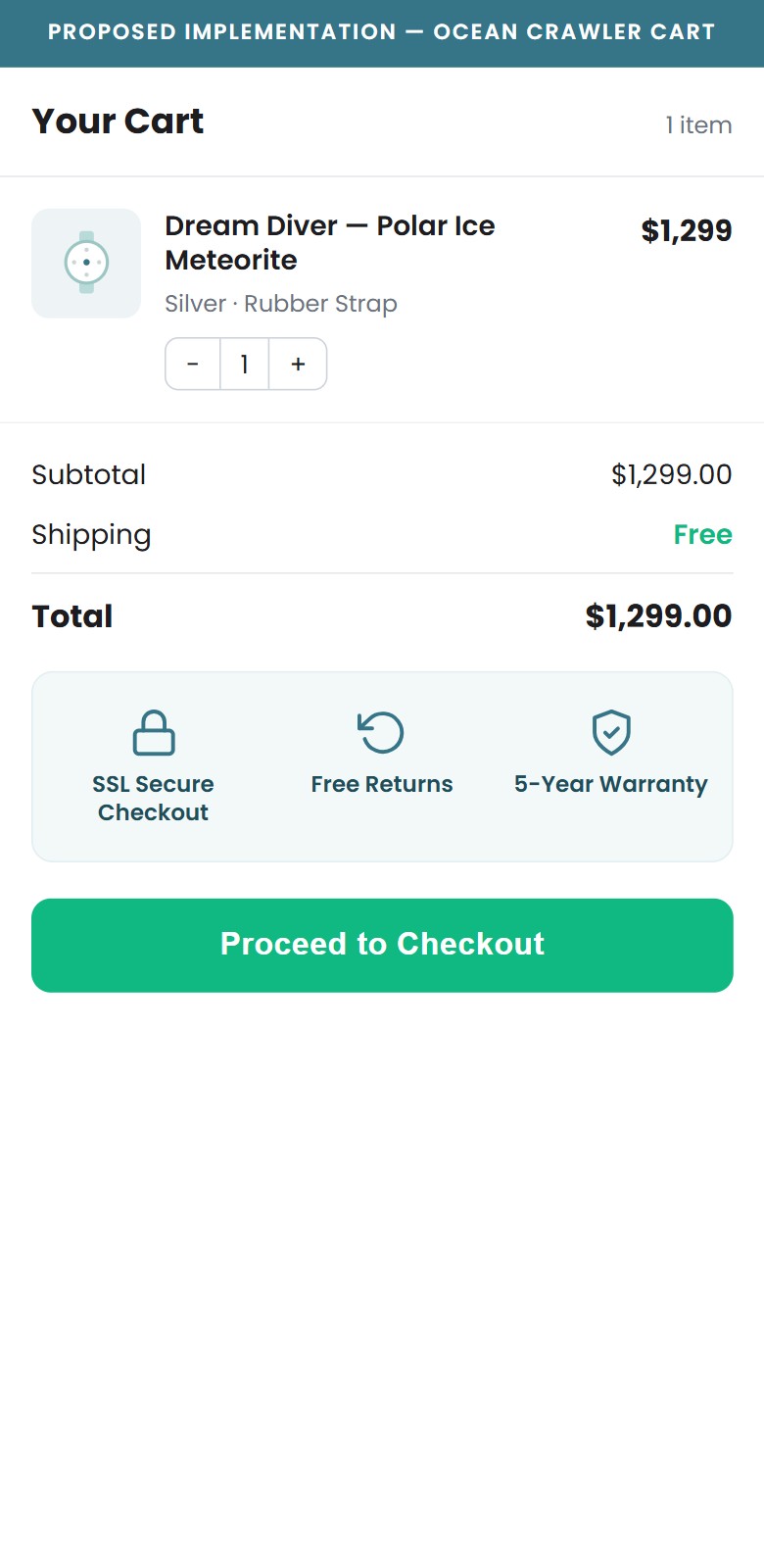
- No trust badges visible near the checkout button — the only signals are Shop Pay, PayPal, and Google Pay logos below the button
- The .htusb-ui-prod-boost-trust-wrapper div renders empty in the DOM — a trust badge app is installed but not outputting content in the cart
- Christopher Ward's cart displays four distinct trust signals: Interest Free Credit, 5-Year Guarantee, Free Delivery Worldwide, and 60-Day Free Returns
- For a $1,299 pre-order purchase, last-moment purchase anxiety is highest at the cart — trust reassurance at this exact step directly addresses hesitation
- Add a 3-icon trust row directly above the checkout button: 'SSL Secure Checkout', 'Free Returns', '5-Year Warranty'
- Fix or replace the empty htusb-ui-prod-boost-trust-wrapper widget; alternatively, add inline SVG trust icons that do not depend on the app
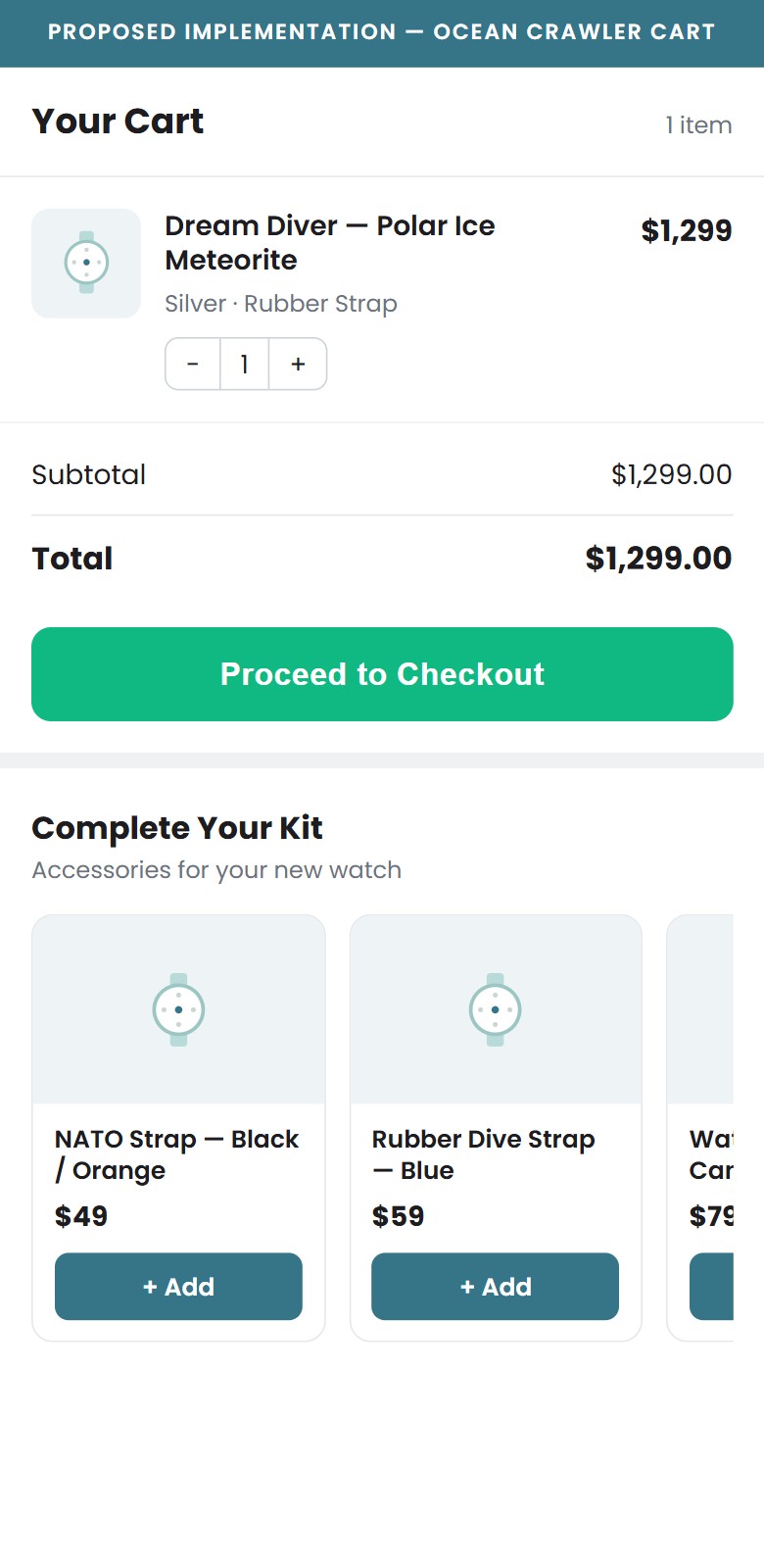
- Cart page contains only: product row (image, name, qty +/-, price, remove), 'Add a note to your order', subtotal text, and three CTA buttons
- No cross-sell or 'You might also like' widget — Rebuy is installed and active on PDPs but is not wired to the cart page
- Strap accessories and watch bands at $49–$89 would be natural cart add-ons for a $1,299 dive watch purchase
- Cart cross-sell widgets typically generate 8–15% AOV uplift when showing lower-priced accessories
- Wire Rebuy to the cart page with a 'Complete your kit' widget showing 1–2 accessory or strap recommendations at a lower price point (under $100)
- Configure the widget to show items not already in the cart and exclude out-of-stock or pre-order items to avoid cart confusion
Technology & Performance
Speed benchmarks, Core Web Vitals, and technology assessment for Ocean Crawler Watch Co.
PageSpeed Scores — Mobile & Desktop
Critical — at 31, Ocean Crawler's mobile PageSpeed is the lowest in this competitive set. On a mobile-majority store with a $1,299 average order, every additional second of load time is measurably eroding conversion on your highest-value traffic.
Competitive Comparison
Benchmarked against 4 leading independent watch stores in your market
| Store | Mobile Score | Desktop Score | Mobile LCP | Mobile CLS | Mobile TBT |
|---|---|---|---|---|---|
| Ocean Crawler Watch Co. | 31 | 64 | 4.6s | 0.08 | 1,420ms |
| Vaer Watches | 63 | 88 | 2.2s | 0.02 | 410ms |
| Christopher Ward | 58 | 84 | 2.4s | 0.03 | 520ms |
| Doxa Watches | 52 | 81 | 2.8s | 0.04 | 580ms |
| Spinnaker Watches | 47 | 79 | 3.1s | 0.05 | 690ms |
Lab data, mobile & desktop, captured June 2026 (Lighthouse / PageSpeed Insights methodology, slow-4G mobile profile). Scores vary run-to-run; treat as directional.
Core Web Vitals — Google's UX Quality Signals
Sites failing Core Web Vitals may rank lower in Google mobile search results
LCP How fast content appears
FCP First visual response
TBT Main thread blocking
CLS Visual stability
INP Tap/click responsiveness
What This Means for Revenue
Ocean Crawler's mobile PageSpeed of 31 is the weakest score in the entire competitive set — Vaer (63), Christopher Ward (58), Doxa (52), and even Spinnaker (47) all load faster on mobile. The biggest culprits are a 1,420ms Total Blocking Time and a 4.6s Largest Contentful Paint (target: 2.5s), both driven by an unusually heavy client-side script load: 25 installed apps — including two social-proof notification tools, two popup engines, and a duplicated POWR script — all executing on first load. Visual stability is excellent (CLS 0.08), so this is a scripting-and-payload problem, not a layout one — which makes it highly fixable. Trimming the redundant apps and deferring non-critical third-party scripts to move mobile into the 55–65 range, where competitors already sit, could realistically lift mobile conversion by 8–15% on its own.
Technology Stack
Platform
Shopify
- Online Store 2.0 architecture; fully hosted with PCI-DSS compliant infrastructure
- App-rich, enterprise-grade setup — Facebook CAPI, server-side pixels, and Triple Whale attribution all active
- Confirmed via Shopify web pixels and Trekkie storefront config
Theme
Custom 'OCW' theme
- Type: Custom-built (OS 2.0 compatible)
- Bespoke components present — e.g. product-ocw-zoom-modal, custom card overlays
- Several widgets installed but misconfigured: Affirm suppressed by CSS, empty Hextom trust container
Checkout & Payments
Shopify Native Checkout
- Express checkout: Shop Pay, PayPal & Google Pay enabled
- Affirm BNPL available — but currently hidden on the PDP (see UX Findings)
- Guest checkout: enabled
Technology Assessment
Ocean Crawler runs on Shopify with a heavily customised theme. The platform and the native Shopify checkout are both solid, modern foundations — express wallets (Shop Pay, PayPal, Google Pay) are enabled and the checkout is PCI-compliant out of the box. The weakness sits in the theme layer: several bespoke components are installed but misconfigured — the Affirm BNPL widget is suppressed by a CSS rule, and the Hextom trust-badge container renders empty. These are configuration and QA issues on an otherwise capable stack, not fundamental platform limitations, which means they are fast and inexpensive to fix. Paired with the app-stack cleanup outlined in the next section, addressing the theme-level bugs would directly improve both the performance scores above and the on-page conversion levers flagged in the UX findings.
Confidential — Prepared for Ocean Crawler Watch Co. by Growisto | May 2026
App Ecosystem
What's installed vs what's missing from best-in-class Jewelry & Accessories stores
Present (25)
Missing (7)
App Stack Assessment
Ocean Crawler's app ecosystem is busy but unbalanced. The analytics and advertising stack is strong — GTM, Triple Whale, Amplitude, Facebook CAPI, TikTok, Klaviyo, and Attentive all active — showing sophisticated paid-acquisition investment. However, the retention and loyalty infrastructure is almost entirely missing: no loyalty programme, no subscription app, and no wishlist. For a brand with a passionate collector community and repeat-buyer social proof on the homepage ('my sixth Ocean Crawler in 12 months'), the absence of a structured rewards programme is a significant LTV gap. The conversion stack has the opposite problem: too many tools doing overlapping jobs. Fomo + Autoketing Sales Pop are both running social-proof notifications simultaneously. ConvertFlow + Alia are both firing popups on PDP load. Mailchimp sits alongside Klaviyo with no clear role differentiation. Consolidating these would reduce page load overhead and create a cleaner user experience. The single highest-priority fix remains the Affirm BNPL widget visibility bug — it is installed, the JS loads, and the configuration is present, but a CSS rule hides the widget from every customer. At a $999–$1,399 price point, removing that one line of CSS is potentially the highest-ROI technical change available.
Confidential — Prepared for Ocean Crawler Watch Co. by Growisto | May 2026